
Below includes instructions on how to renew a membership with us. If you would like, we would be happy to renew your membership for you, just email us at [email protected], and we will be in touch.
Please read all instructions before beginning Step 1. It will restart the membership renewal process if you exit the page once started.
Step 1: Click the green button that says “Click Here to start the Membership Renewal Process”. Please be sure to read the instructions below before proceeding with Step 1, as if you exit the page, you will have to restart the renewal process.
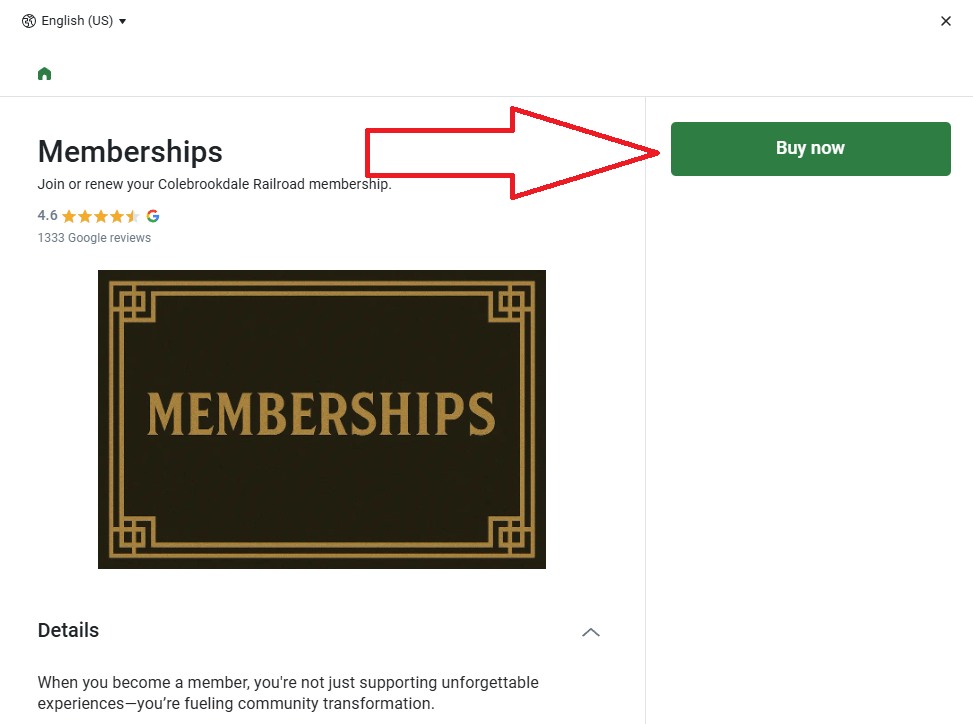
Step 2: Upon clicking the button, you will see a screen that is identical to the image to the right. On this page, click “buy now”.
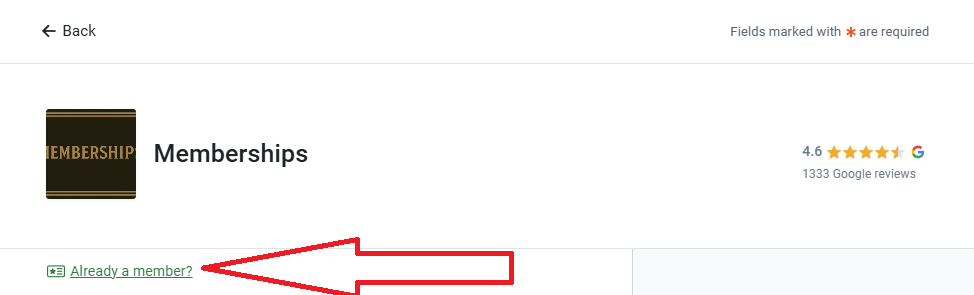
Step 3: The next page to follow will be how you renew your membership, but it is crucial that you enter your current member ID.
Step 4: Upon sucessfully entering your member ID, you will have a green box like this.

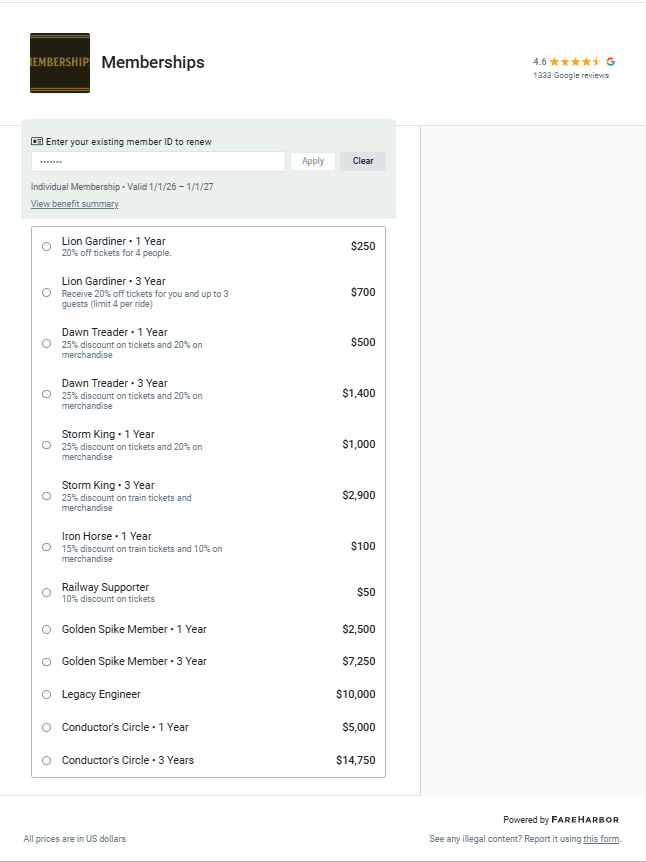
Step 5: After successfully entering your member ID, you may now renew your membership to whichever desired level you would like. Please note that our membership program has changed as of July 2025. Previous membership programs may no longer be available.